
Processing Image Data
I Have My Data, Now What?
A brief note: Many project leaders, even experienced project leaders, forget that they will need to budget for the time and labor of processing. This contributes to the body of data that has been collected but not shared. Build this step into your planning process.
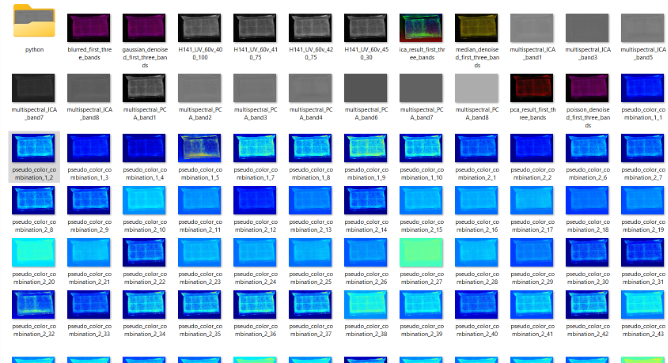
The raw images you’ve collected are only a small fraction of the actual data. The processing step makes your dataset more than the sum of its parts. The Ghost Camera process does reveal more than was possible even without manipulation than previous methods would have, but those who are new to the process may be initially disheartened that their raw data isn’t as revealing as they hoped. This is where the processing step enters the picture.
Traditionally, ENVI was the top-of-the-line tool for traditional Multispectral imaging (MSI). It was developed for satellite and remote sensing data, usually for military applications. It is also wildly expensive (usually around $2,000/seat) and has a significant learning curve. Hoku is an open access software developed by Keith Knox specifically for processing cultural heritage MSI data. We link to a few places to download Hoku above. It is free and has a less significant learning curve, but it can still be challenging for beginners. R-CHIVE Spectral Imaging Software was designed by the team behind the MISHA system and is designed for novices in the field. It is less robust than other options, but it can be a great starter and is being actively developed. Finally, ImageJ is an open software project developed for medical settings. Bill Enders of the University of Oklahoma has successfully used it in conjunction with the MISHA system, proving that it can be used in the cultural heritage context. Todd Hanneken at St. Mary’s University in Texas has developed a codebase on GitHub that works together with the high-powered computer cluster at the University of Colorado Colorado Springs to process images overnight. As tools and technology develop, there may be more options in the future.
It is possible to use Photoshop (or its open equivalent, GIMP) to heighten contrast and adjust color or hue. It can be useful to do some of this kind of processing, but it is important not to cross the line from recovery into creation. Be careful that image editing tools aren’t creating certainty or visual elements that aren’t present in the original images.
The team behind the Ghost Camera process is working on developing data processing tools specific to this hardware and approach. Unlike traditional MSI processes, the Ghost Camera captures color images. You can load Ghost Camera images into r-Chive Spectral Imaging Software to automatically separate RGB channels for future recombination or individual use. The most common processes at this point are Principal Component Analysis (PCA) and Independent Component Analysis (ICA). These slice the data in new ways to allow correlation and uncorrelation without alignment into an image cube. Traditional MSI processes call for the creation of an image cube (a data structure that allows multiple photographs to be stacked and compressed into a more usable form). If your processing software calls for an image cube, you should use ImageJ or the simple Python code developed by Helen Davies (UNC Charlotte) to align the various images to ensure that you have exactly the same angle and orientation for each.
Image Processing Options
Here we offer options for processing the images you gather with the Ghost Camera in Photoshop or r-Chive. We’ve also included Helen Davies’s python code for creating an image cube. These options are just a starting place! Part of discovering is experimenting.
R-CHIVE Processing Steps
- Open R-CHIVE
- Look at each channel as a separate band
- Save any of the black and white images that may be useful
- Explore any editing options that might help clarify the image. NB: you can recombine the bands in different orders!
- Edit the images. Try different interventions like histogram equalization.
- Use the image analysis toolsto process each image as if the different channels were different images. Remember to save any images you like!
After editing and exploration, you can take these images into Photoshop or another image editing software. Be careful that your interventions don’t cross the line from discovery into creation.
Sharing Your Data
The final step in this process is saving and sharing your data. Ensure your data is saved in multiple locations and determine your publication approach. Will you share it with an archive beyond the agreement you have with the object custodians? Will you share it with other scholars in a formal publication? What about a public facing project? Is there an entirely different process that makes sense for your work? There is truly no one-size-fits-all approach here. Some scholars host all of their data on personal websites to ensure full control over the future of the work. Others use institutional sites to ensure that the data will live somewhere stable and to offload some of the maintenance work. Some scholars never make their raw data available. It is frustrating for others not to be able to access the data, but there are valid concerns about ownership, rights, and protecting intellectual output to be considered. Remember to clear your plans with all parties involved in the management of these objects.